Nutico
Cookie preferences
start@nuti.co

Recruitment that works from start to finish

Publish a job ad, bring every application together, organise interviews and find the right candidate—all without scattered emails, spreadsheets or missing CVs.

One platform for the entire recruitment journey—from the first job ad to signing the employment contract.

Your entire recruitment process, clearly organised

See every candidate on one visual board. Move them from one stage to the next, while your whole team stays up to date on the process.

Check out a demo solution

Job ads that attract the right people

Guided setup – create your ad in a few guided steps: add the essentials and job details, choose how candidates can apply, customise the design and preview the result. Your work is saved automatically as you go.
A clear, thoughtful structure – responsibilities, requirements and benefits are clearly laid out, so candidates can quickly find the information they need.
Key details at a glance – add the field, salary range and application deadline. These details help candidates decide and filter job listings.
Preview before publishing – see exactly how candidates will view your job ad before it goes live.

Ask candidates exactly what you need to know

Tailored to every role – ask about motivation, portfolios, availability or salary expectations, or add your own questions.
Different ways to respond – use short or long text fields, multiple-choice questions and checkboxes. Candidates can also upload a photo, video or file.

Share your job ad where candidates are looking

On your website – publish the job ad and application form at your own web address, with your organisation’s branding.
Add your job ad to other websites – use a simple code snippet to add it to your website, newsletter or a partner’s site.
Share on social media – your job ad link is ready to share.

A clear recruitment board instead of spreadsheets

Visual recruitment board – every role has its own board and stages. Move candidates forward and your whole team can see updates straight away.
Stages that fit your process – set up the steps that work for you, such as a phone screening, panel interview, trial lesson, offer or rejection.
Schedule interviews with ease – add the duration, location and meeting link. You can reschedule or cancel an interview directly from the candidate’s card.
Evaluate candidates consistently – define evaluation criteria and their weighting, for example skills 40%, experience 30% and fit 30%. Interviewers can rate each criterion and add comments.
Send updates automatically – when a candidate’s status changes, they receive an email based on your organisation’s template. No need to write every message from scratch.

A candidate database that grows with you

All your candidates in one place – find people who applied in the past, too. A promising candidate shouldn’t disappear just because their job ad has closed.
The full candidate history at a glance – see previous applications, interviews, evaluations, documents and internal team notes in one place.
A quick overview – see which roles someone has applied for and where they are in the process now.

Make recruitment decisions with data

See how your process is working – track how many candidates reach each stage and where the process is most likely to stall.
Key metrics – keep track of active job ads, candidates, applications and decisions still pending.
Activity history – see recent changes in one place and find out who did what and when.
Export data as a CSV file – download your data to use in a spreadsheet or reporting tool.

CV builder for candidates and employees

Create a professional CV in minutes – use ready-made sections for contact details, a personal summary, work experience, education, skills and languages. Share your finished CV at /cv/[name].
Download your CV as a PDF – create a polished A4 CV and cover letter in one click, with a clean layout across multiple pages.
Import an existing CV with AI – upload your current CV as a PDF. The system extracts and organises the information, so you don’t have to enter everything again by hand.
Share your CV with a link – send your CV directly to an employer or add it to your application.

Your organisation, your brand

A distinct identity for every organisation – add your logo, description and brand colour. They’ll appear automatically on your job ads.
Your recruitment team, all in one place – add recruiters, HR managers and interviewers, then assign the right permissions. Everyone sees the information they need.
Manage multiple organisations in one system – ideal for schools, municipalities and company groups where each unit recruits separately but everyone wants to use the same system.

Getting started: four simple steps

1. Set up your organisation profile – add your logo and brand colour. The system will automatically use them on your job ads.

2. Create a job ad – follow the guided steps and preview your ad. Then publish it on your website, embed it elsewhere or share it on selected job portals.

3. Bring applications together – applications, answers and attachments arrive automatically in your recruitment workspace.

4. Find the right candidate – move candidates through the stages, schedule interviews and collect feedback with scorecards. Once you’ve made a decision, let the candidate know.

Why choose us?

Built in Estonia. Designed around the Estonian job market.

Technology helps. People decide. The platform keeps your recruitment process organised, so you can focus on people.

Everything in one place. From the job ad to signing the contract—with no need for a stack of separate tools.

Frequently asked questions

Do candidates need to create an account to apply?
No. Candidates can complete and submit the application form without creating an account. Accounts are for your recruitment team.

Can I use my own domain?
Yes. Your job ad and application form can be hosted at your own web address and use your organisation’s branding.

How is my data protected?
Data is encrypted and only authorised members of your organisation can access it. Activity in the system is recorded.

Can I close a job ad?
Yes. Close an ad with one click. It will no longer appear publicly, but the candidates’ history will remain available.
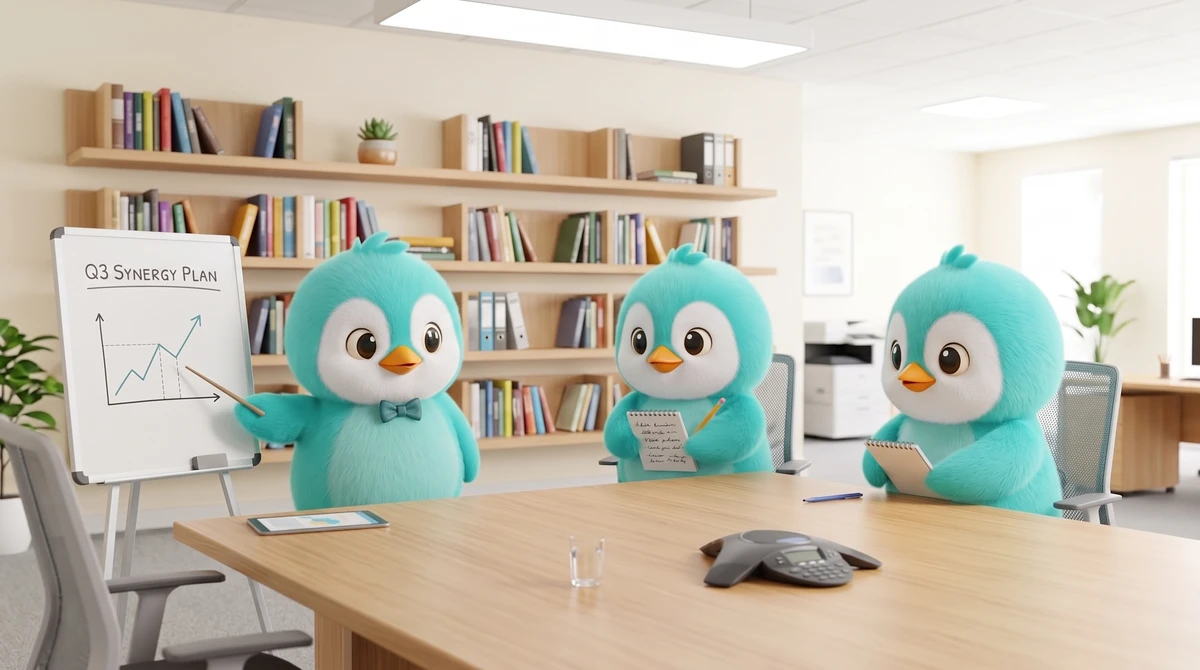

Save hours with every hire

Create a job ad in minutes using ready-made templates. Applications, interviews and evaluations come together automatically in one place—less time spent on admin, more time for people.

Hero background
Hero background

A job ad that reflects your brand

Your logo, colours and banner image are automatically added to your job ads from your organisation profile. Every ad looks polished and professional—even when you don’t have a designer on hand.

Hero background

Make decisions based on shared criteria, not gut feeling

Scorecards, weighted criteria and interview feedback help you compare candidates on a consistent basis. Your decision can reflect input from the whole team.